How to clean your turntable stylus without making it worse
For loose dust, a suitable stylus brush and a gentle stroke in the direction specified by your cartridge maker are often enough. Liquid and gel cleaners need a separate compatibility check. The cleaner must suit the materials holding the diamond as well as the tip itself.
Start by identifying the cartridge fitted to your turntable. On a second-hand deck, it may be different from the one in the turntable manual. Follow the cartridge's own care instructions, including any instructions supplied with a replacement stylus or a rebuilt cartridge.
Look before you brush
Stop the platter, mute the amplifier and secure the tonearm where you can reach the stylus without moving it across the record. Use good lighting. A small magnifier helps distinguish a tuft of fluff from a part you should leave alone.
The diamond is the tiny tip that contacts the groove. The cantilever is the slender arm supporting it. Keep fingers and the hard part of the brush away from both. Limit cleaning to the area specified in the cartridge instructions.
Goldring's EXTRACT instructions put magnified inspection before cleaning and another look afterwards. That is a sensible routine: establish whether debris is present, remove it with the appropriate method, then check the result. It avoids brushing repeatedly just because the record still sounds wrong. Goldring's inspection and cleaning instructions.
Brush from the rear towards the front
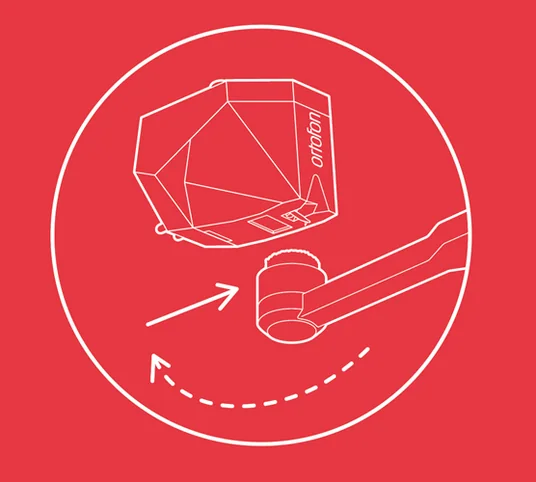
For cartridges whose instructions specify brushing, use the supplied brush or a suitable stylus brush. Ortofon specifies strokes from the rear of the cartridge towards the stylus tip, never backwards and never side to side. Audio-Technica's AT-LP8X instructions also show rear-to-front cleaning. Ortofon stylus care, Audio-Technica stylus care.
Make a light pass, move the brush clear, then return to the starting position for another pass if needed. Do not scrub back and forth. Goldring specifies as little upward pressure as possible. Stop if the brush catches. Do not increase pressure to free it. Goldring brush guidance.
Check the manufacturer's diagram if “back to front” is unclear from your viewing position. Read the direction relative to the cartridge, regardless of which side of the turntable you stand on.
Liquid cleaner is a cartridge-specific decision
Ortofon advises against solvents for its styli. It explains that they can affect the stylus cement and reach internal parts of the cartridge. A bottle sold for stylus cleaning does not override those instructions. Ortofon's solvent guidance.
Other manufacturers give different advice. Audio-Technica sells AT607a stylus-cleaning fluid, while Goldring's support guidance allows a very small, controlled amount of liquid for persistent grime and warns against contact with the rubber damping. Those are instructions to read for the equipment concerned, not a universal recipe for alcohol and a brush. Audio-Technica AT607a, Goldring cleaning guidance.
If your manufacturer permits a wet method, follow its directions for product, application and drying. Keep record-cleaning fluid out of this decision unless it is explicitly approved for the stylus too. If the instructions are silent, ask the cartridge maker before experimenting on stubborn deposits.
Gel and putty are not interchangeable
There is no single manufacturer position on dipping cleaners. Ortofon specifically advises against Onzow Zerodust. Goldring sells a gel cleaner as part of EXTRACT. Soundsmith's care guidance rejects clear gel products and specifies a particular putty-based method for its new or rebuilt cartridges. Ortofon FAQ, Goldring EXTRACT, Soundsmith cartridge care.
That disagreement is a reason to check compatibility, rather than treating every sticky material as the same tool. Do not substitute household putty because it looks similar to a named product. If your cartridge maker authorises a dipping method, follow its instructions for height, support and vertical movement. Keep the platter stationary and never drag the stylus sideways through the cleaning material.
Know when to stop
Once loose debris has gone, stop cleaning. If the cantilever looks bent, the stylus skips or contamination remains firmly attached, arrange inspection instead of escalating to a harder brush. Goldring's repair guidance flags visible damage and skipping as reasons to stop playback. Goldring cartridge service.
Keep the records clean as well. Our record-cleaner guide explains the washing options. Repeatedly removing a clump from the stylus while feeding it the same dirty groove leaves the cause untouched. Soundsmith describes how accumulated record contamination can interfere with tracking. Soundsmith on record cleaning.
Inspect the tip after cleaning. If loose debris has gone and nothing looks damaged, put the tools away; further brushing adds handling without a clear purpose.